Develop Serverless Apps with Firebase
| [Develop Serverless Apps with Firebase | Google Skills](https://www.skills.google/course_templates/649) |
Firestore 데이터베이스로 데이터 가져오기기
주요 배경 요약
- 문제점: 기존 예약 시스템의 확장성 부족.
- 제약 사항: 운영 인력이 1명(패트릭)뿐이라 유지보수가 쉬워야 함.
- 해결책: 서버리스 기술, 그중에서도 Cloud Firestore 도입.
- Firestore의 장점: * 용량 사전 할당 불필요 (무한 확장성).
- 실시간 데이터 동기화.
- 오프라인 모드 지원.
- 실습 목표: 기존 데이터를 Firestore로 마이그레이션(업로드)하기.
구글 클라우드 데이터베이스 생성
All Product -> database -> firestore 들어가서 설정값 세팅 후 생성
Data migration
기존 데이터베이스에서 CSV 파일 exporting
migration program
npm install로 패키지 추가하면 package.json안 dependency에 자동으로 등록됨
1
const { Firestore } = require("@google-cloud/firestore");
이런 식으로 코드에서도 dependency 추가할 수 있음.
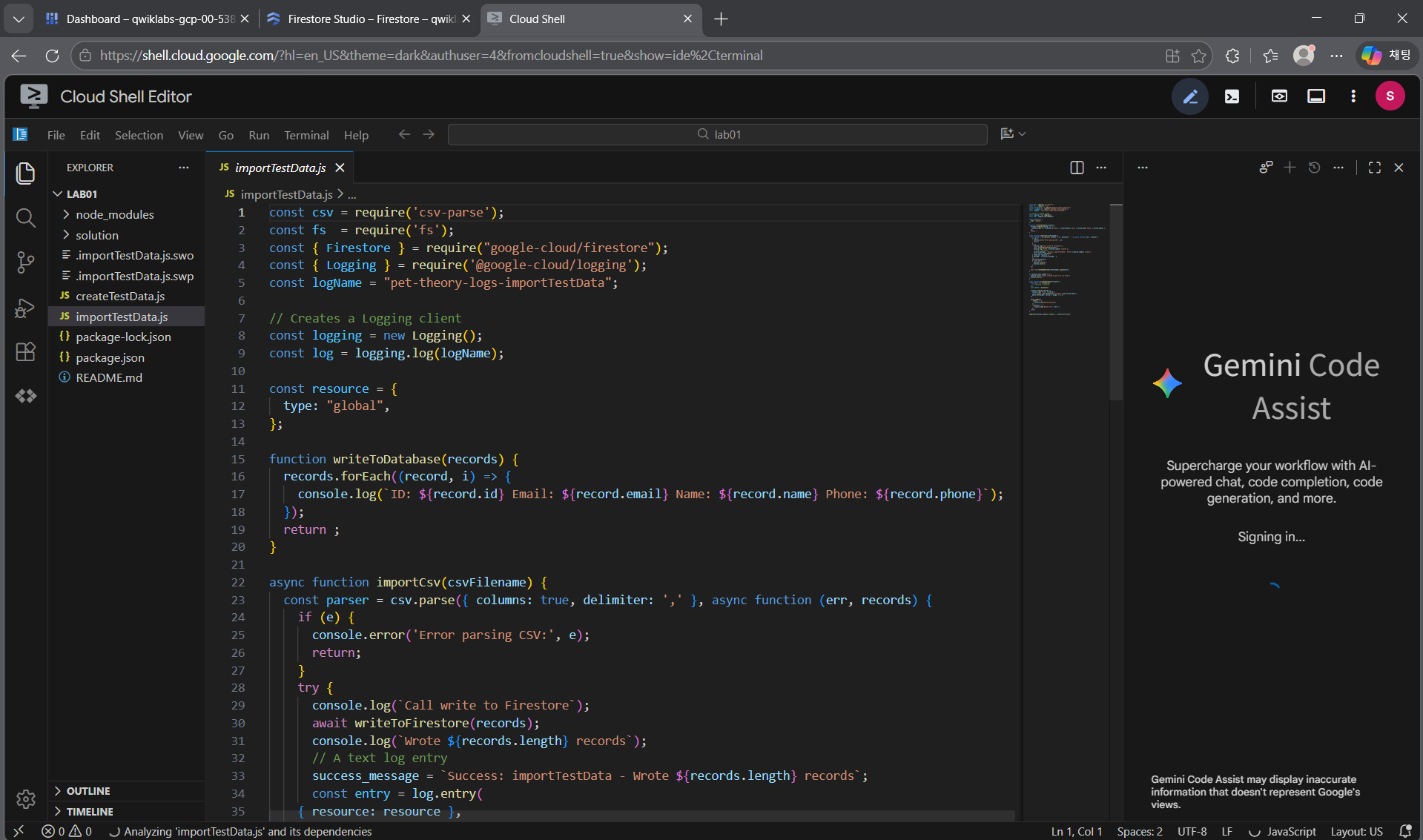 클라우드 페이지 내에서 powershell을 editor로 열어서 접근이 가능. 코드 review를 assistent를 통해 간편하게 할 수 있따.
ISSUE
1
2
gcloud config set projData cu
ect qwiklabs-gcp-02-6871d301a857
이런 것처럼 powershell을 통해 작업할 때, project id를 세팅하지 않으면 프로젝트에서 설정한 것들에 접근이 안됨.
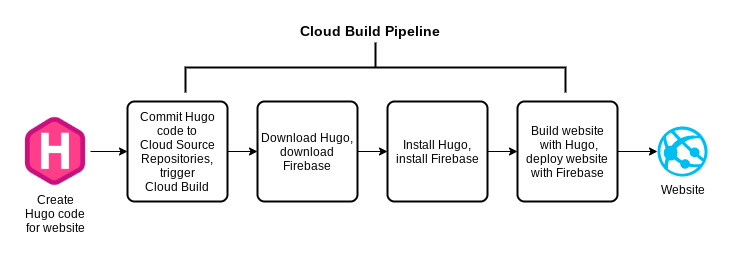
Cloud Build 및 Firebase 파이프라인을 사용하여 Hugo 웹사이트 배포
- 로컬에서 웹사이트를 빌드하고 수동으로 Firebase에 배포
- Cloud Build로 파이프라인을 빌드하여 프로세스를 자동화
실습 시 Github 계정은 동일한 구글 계정으로 진행해야 한다..
ISSUE
 무조건 Google cloud console은 시크릿탭으로 해야 된다.
Firebase로 서버리스 앱 개발: 챌린지 실습
project setting
1
2
3
4
5
## 프로젝트 연결
gcloud config set project $(gcloud projects list --format='value(PROJECT_ID)' --filter='qwiklabs-gcp')

## 저장소 클론
git clone https://github.com/rosera/pet-theory.git
database 만들기
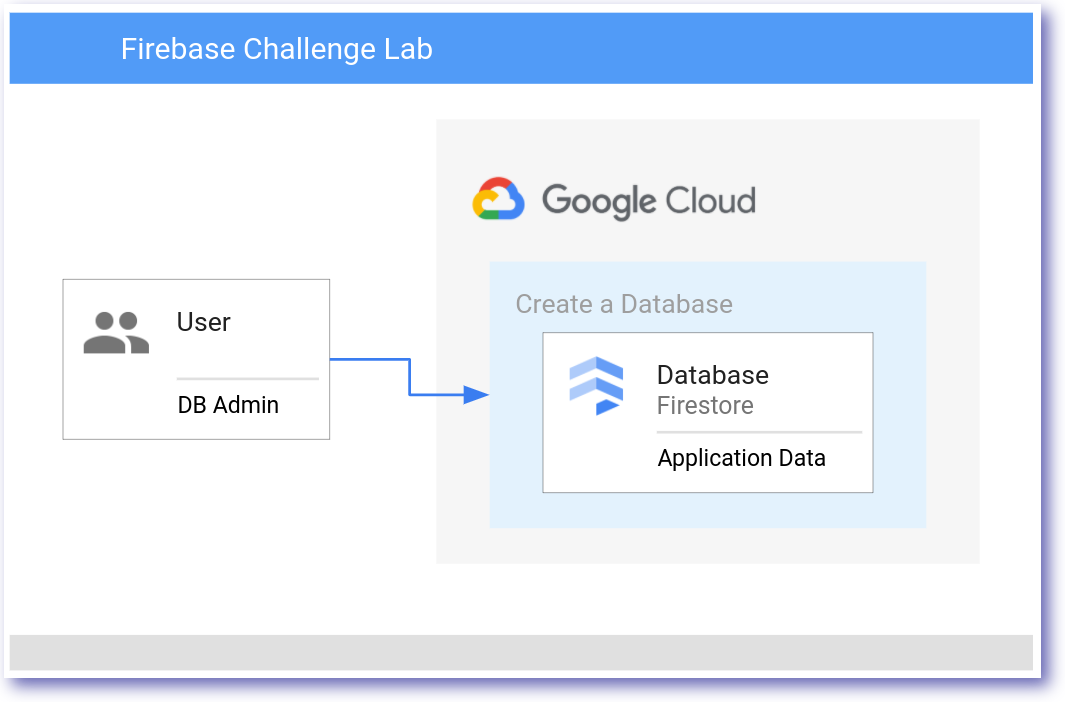 All Product -> database -> firestore 들어가서 설정값 세팅 후 생성 위치 Lab Region (시작하면 나옴)
데이터베이스 채우기
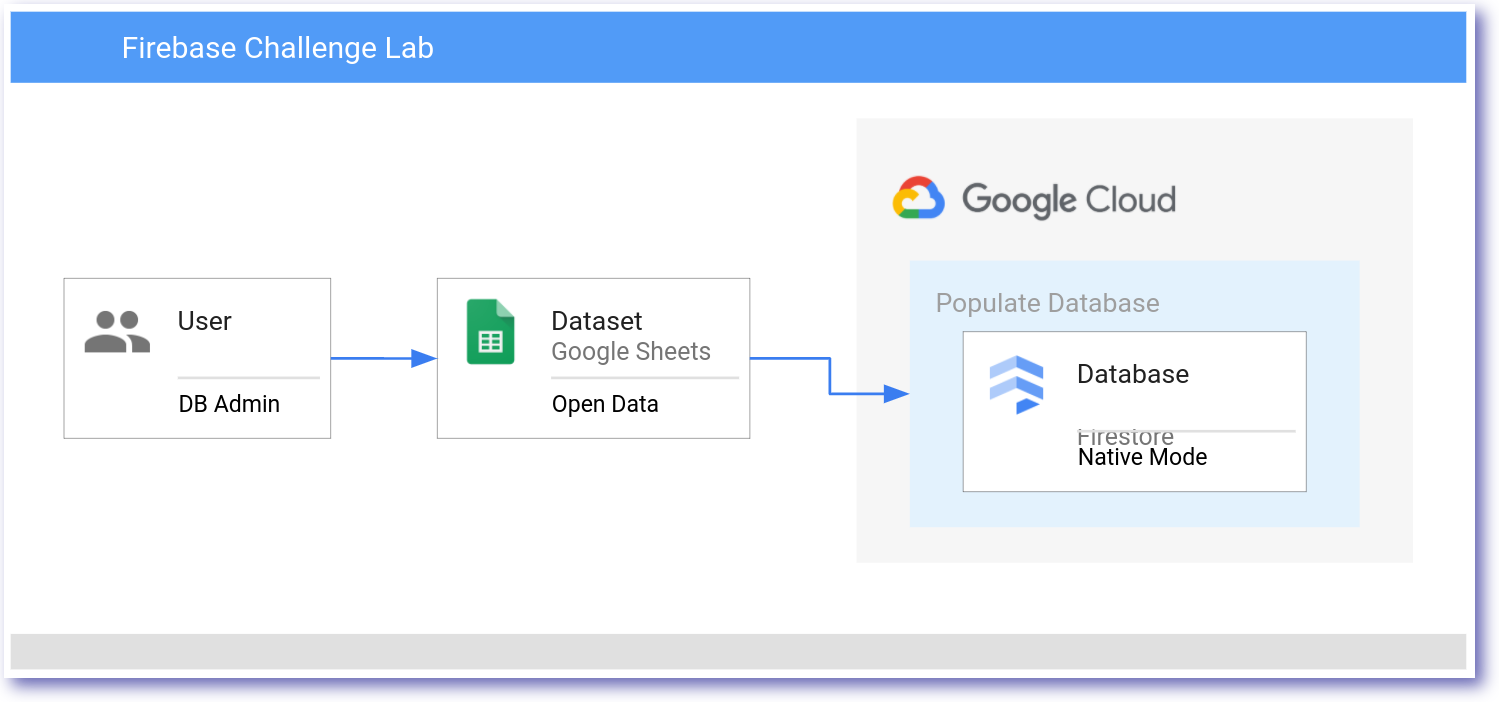
pet-theory/lab06/firebase-import-csv/solution의 샘플 코드를 사용
1
2
npm install
node index.js netflix_titles_original.csv
REST API 만들기
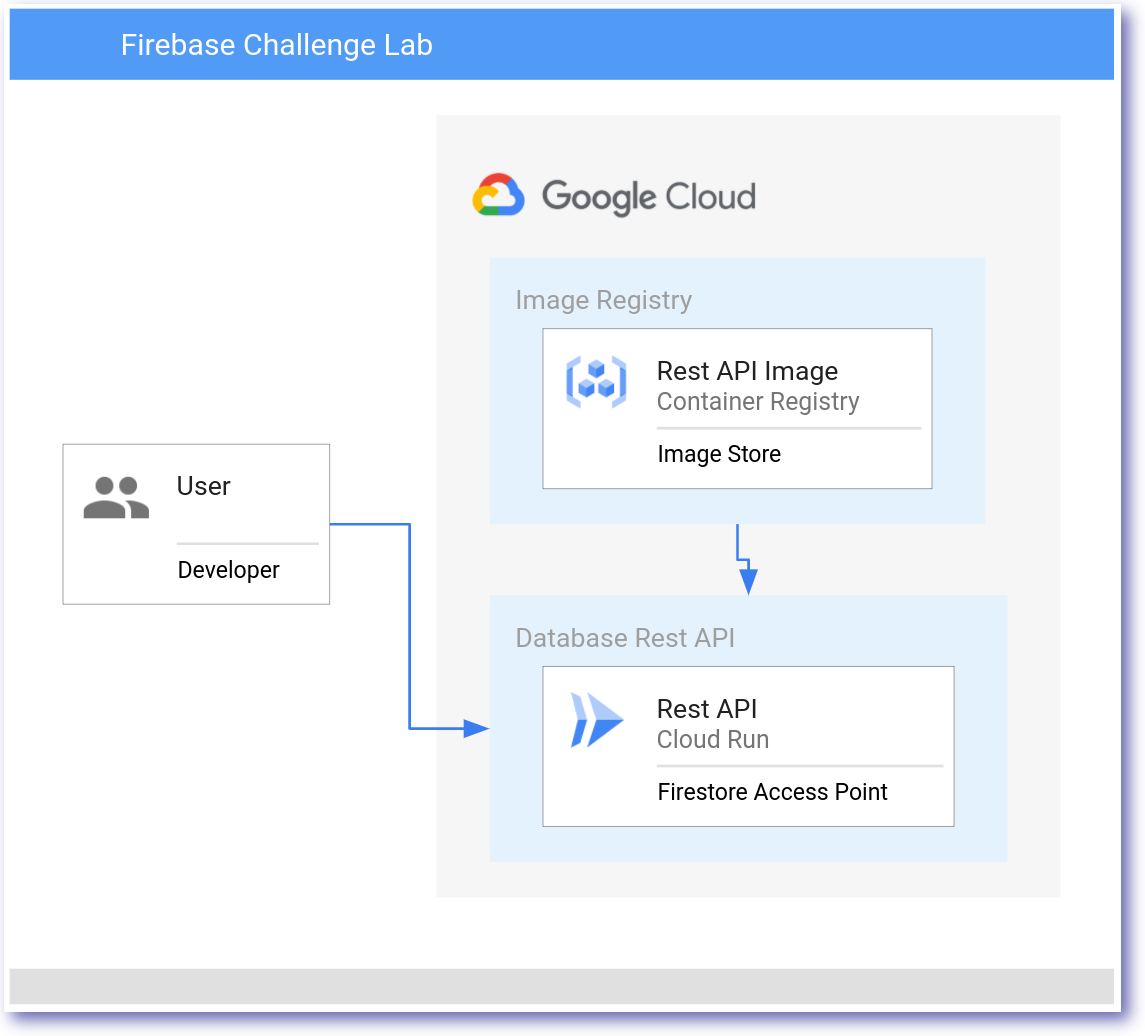
pet-theory/lab06/firebase-rest-api/solution-01에 액세스
1
2
## build
gcloud builds submit --tag gcr.io/$GOOGLE_CLOUD_PROJECT/rest-api:0.1 .
배포
1
2
3
4
5
gcloud run deploy netflix-dataset-service \
  --image gcr.io/$GOOGLE_CLOUD_PROJECT/rest-api:0.1 \
  --platform managed \
  --region [YOUR_REGION] \
  --allow-unauthenticated
us-east4 배포가 완료되면 Service URL이 출력됨 SERVICE_URL을 위해 netflix-dataset-service에서 URL을 복사
동작확인
1
curl -X GET $SERVICE_URL
Firestore API 액세스
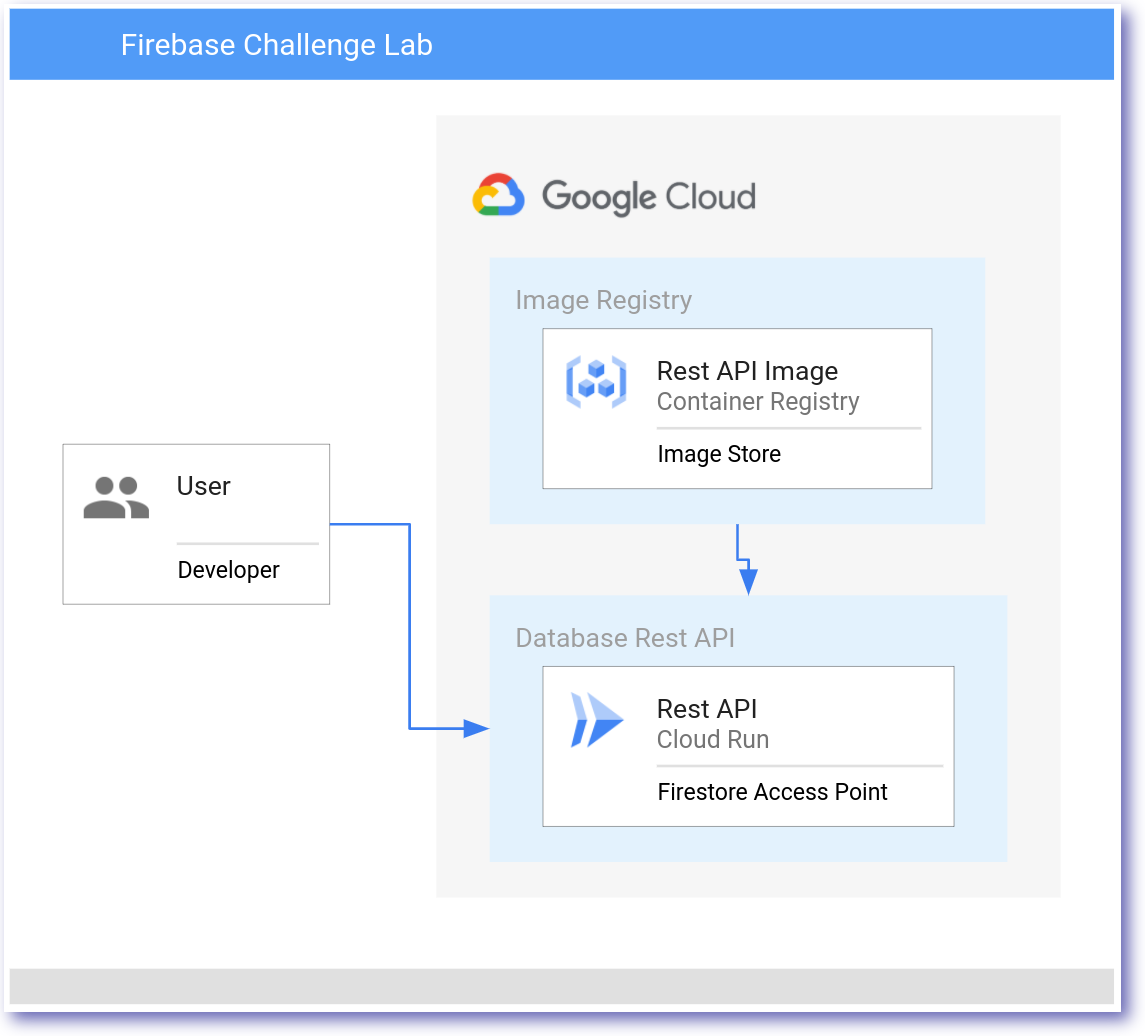
rest-api:0.2 pet-theory/lab06/firebase-rest-api/solution-02에 액세스
1
2
## build
gcloud builds submit --tag gcr.io/$GOOGLE_CLOUD_PROJECT/rest-api:0.2 .
0.2 버전 빌드
배포
1
2
3
4
5
gcloud run deploy netflix-dataset-service \
  --image gcr.io/$GOOGLE_CLOUD_PROJECT/rest-api:0.2 \
  --platform managed \
  --region [YOUR_REGION] \
  --allow-unauthenticated
배포가 완료되면 Service URL이 출력됨 SERVICE_URL을 위해 netflix-dataset-service에서 URL을 복사
동작확인
1
curl -X GET $SERVICE_URL/2019
스테이징 프런트엔드 배포
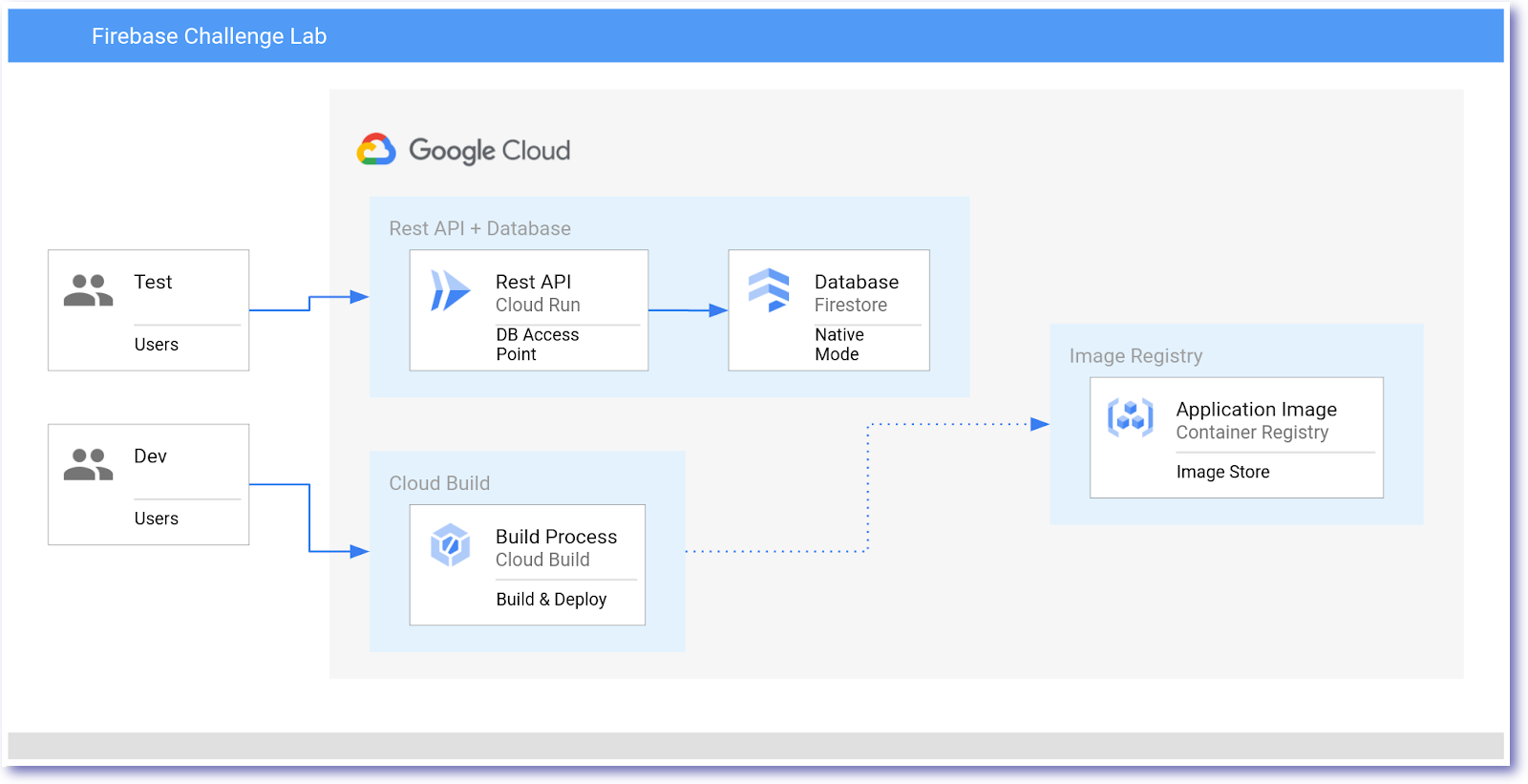
pet-theory/lab06/firebase-frontend에 액세스
1
gcloud builds submit --tag gcr.io/$GOOGLE_CLOUD_PROJECT/frontend-staging:0.1 .
1
gcloud run deploy frontend-staging-service \ --image gcr.io/$GOOGLE_CLOUD_PROJECT/frontend-staging:0.1 \ --platform managed \ --region [YOUR_REGION] \ --allow-unauthenticated
프로덕션 프런트엔드 배포하기
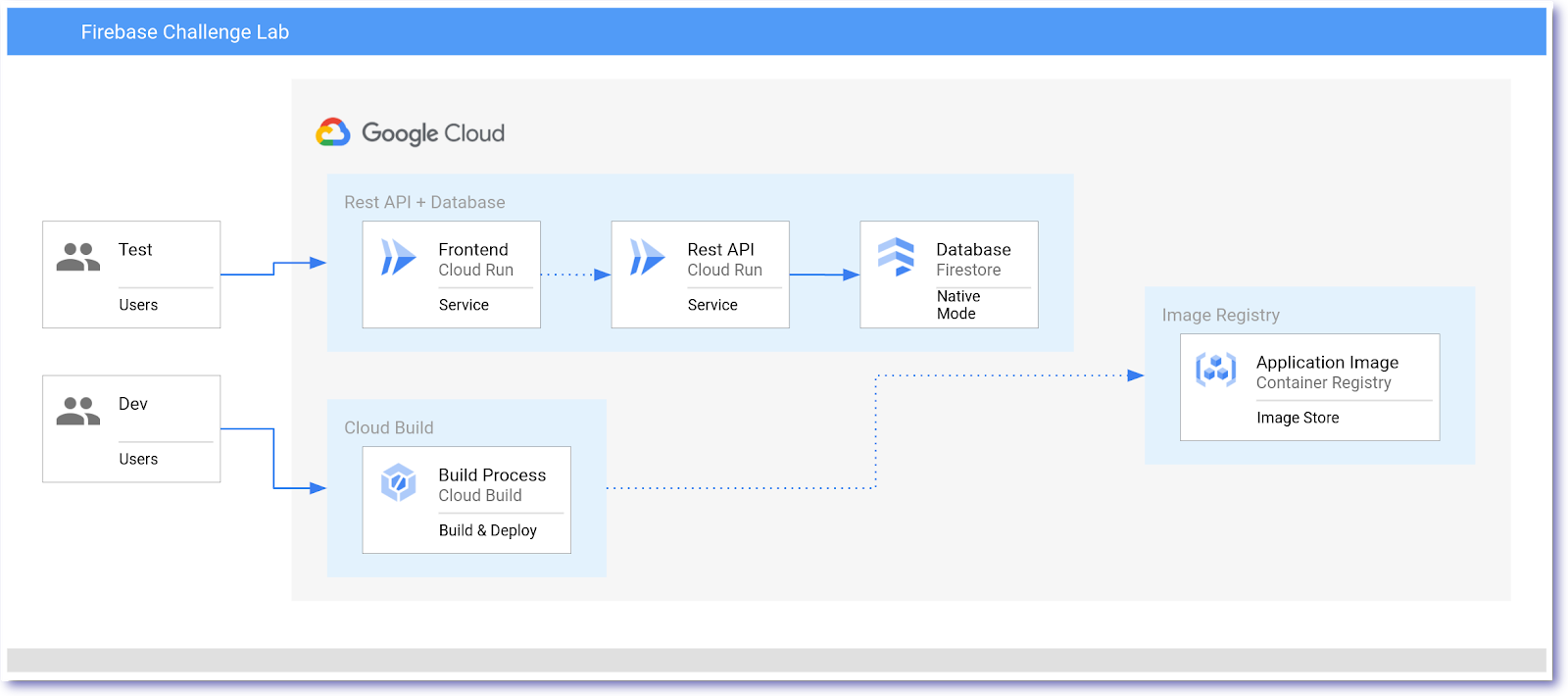 ``
pet-theory/lab06/firebase-frontend/public에 액세스
1
2
3
vim app.js

const API_URL = 'https://[REST_API_서비스_URL]/2019';
1
gcloud builds submit --tag gcr.io/$GOOGLE_CLOUD_PROJECT/frontend-production:0.1 .
1
2
3
4
5
6
gcloud run deploy frontend-production-service \
  --image gcr.io/$GOOGLE_CLOUD_PROJECT/
frontend-production:0.1 \
  --platform managed \
  --region [YOUR_REGION] \
  --allow-unauthenticated
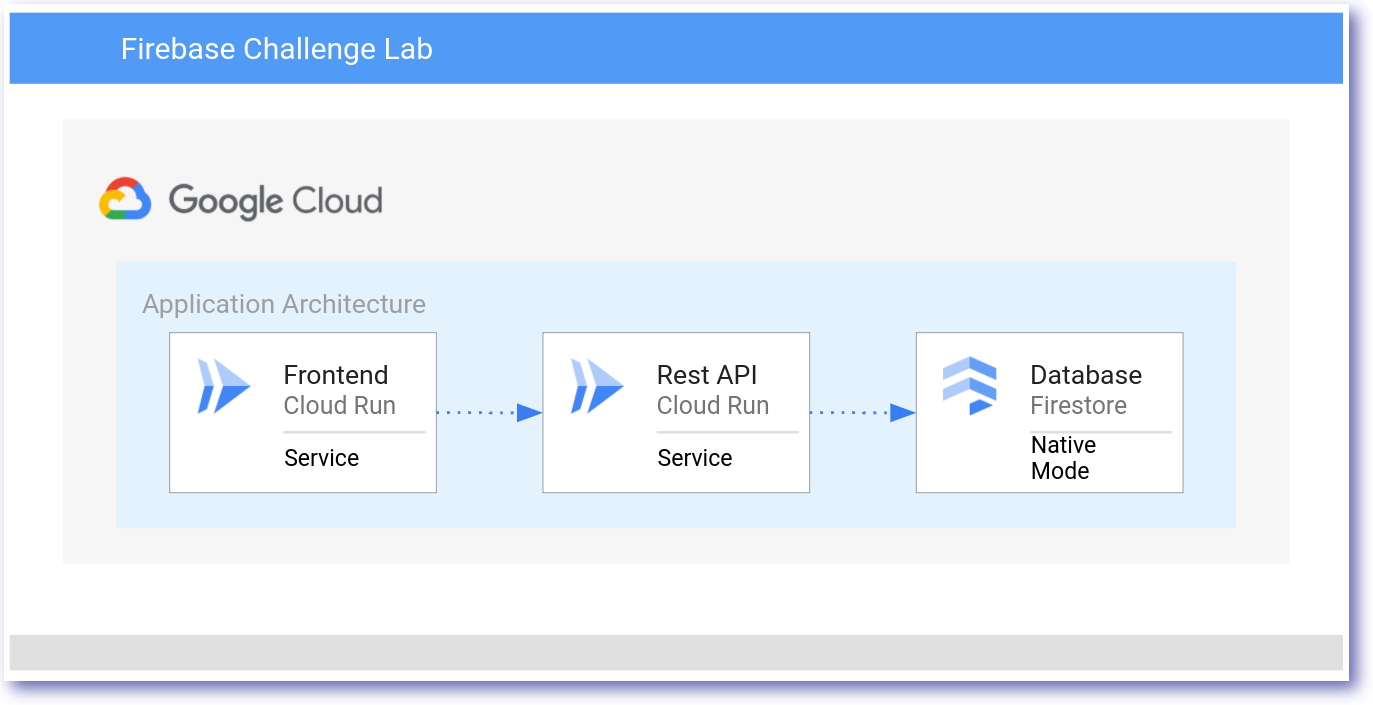
- 데이터 입수: CSV를 NoSQL(Firestore)에 때려 넣기.
- 백엔드 구축: 컨테이너 기술을 이용해 API 서버를 클라우드에 안착시키기.
- 프론트엔드 연결: 사용자 화면이 백엔드 주소를 정확히 찾아가게 만들기